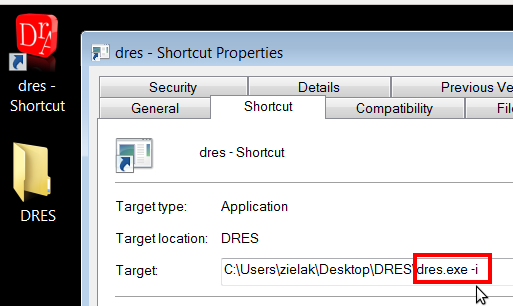
Just create the link on the desktop and change the target by adding the -i parameter.
This parameter will save all editor settings in a local file in the installation directory instead of the system registry.
Do not forget that you need write privileges in this directory first.