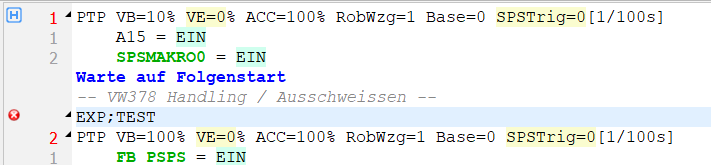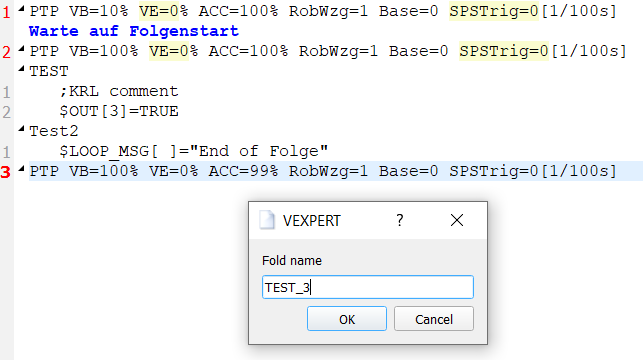
The VEXPERT fold can be inserted from VKRC menu → SPS-Commands → VEXPERT.
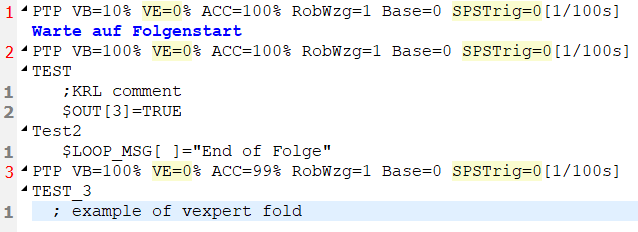
After giving the displayed name of the fold, a new collapsible fold block will be inserted into the editor.
The user can add a KRL command to the VEXPERT fold by typing text with a space at the beginning of the line.
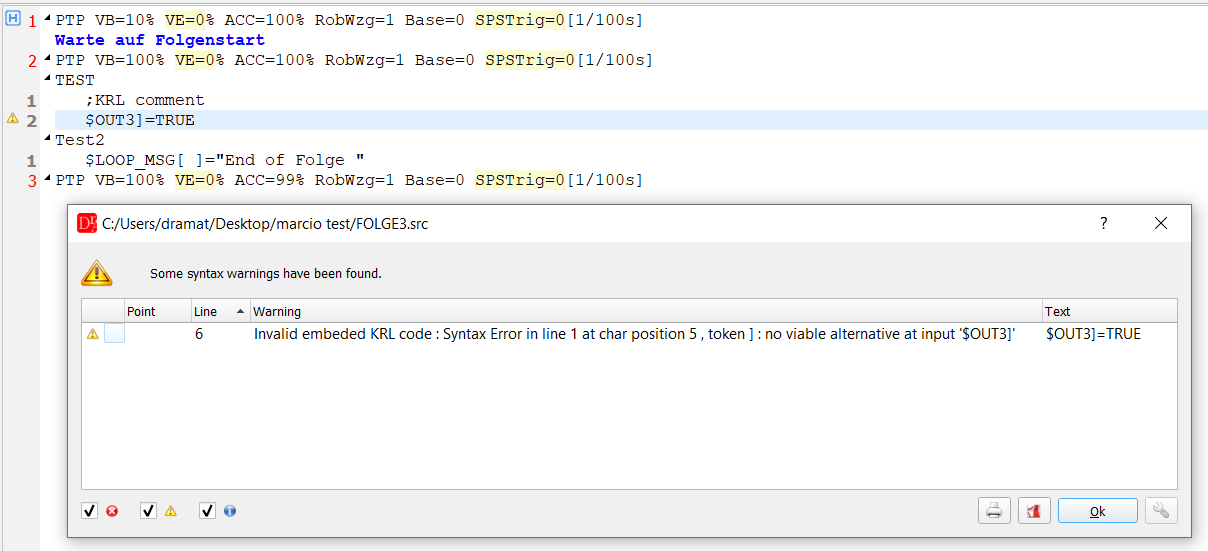
When the syntax of the KRL code is invalid a warning message is shown.
Such a KRL command can still be saved without commenting the text.
Be aware that the editor can check only limited KRL syntax restricted to single statement commands.
The editor does not build and does not check any system variables' table or map of used local KRL variables and their types to check for example assignment statements.
Name of the VEXPERT fold
The name of the fold can not contain the character ; - it would end the fold name in the program. The dialog does not accept such a name; a name with ; typed in the editor is shown as a syntax error.
Lines of the KRL code indented with a tab are also part of the VEXPERT fold and are saved inside it.