
- All selected lines get the same state: if at least one line is not commented, all lines are commented; if all lines are commented, they are uncommented. Lines which are already commented are not commented twice. Empty lines are skipped.
- A selection which ends at the beginning of a line does not include this line.
- The comment character is put after the indentation of the line.
- The selection stays, so the same lines can be uncommented with the next Ctrl + /. Edit » Undo reverts the whole change in one step.
▲ ABB (RAPID)
- Lines are commented with !.
- A collapsed routine is expanded when its lines are changed.
- When the selection contains the first or the last line of a MODULE / PROC / FUNC / RECORD without its pair, the status bar shows a warning - check the structure of the module.
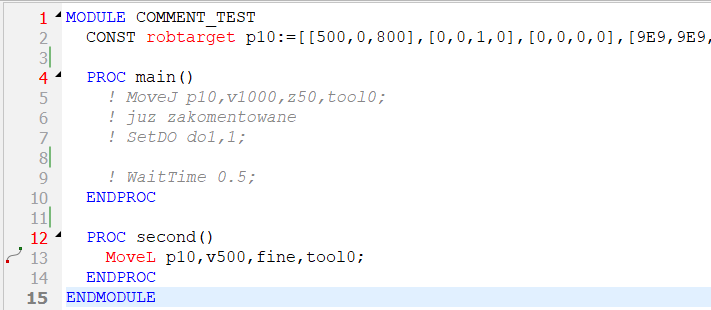
ABB - lines of PROC main commented with !
▲ Yaskawa (JBI)
- Lines are commented with ' (comment instruction).
- Only the program lines between NOP and END are changed; the job header, NOP and END are skipped.
- A commented motion instruction ('MOVJ ...) is not a point - it is not in the point table.
- The comment instruction accepts max. 32 characters on the controller. Longer comments are shown as a warning in the status bar with the line numbers.

Yaskawa - program lines between NOP and END commented with '