
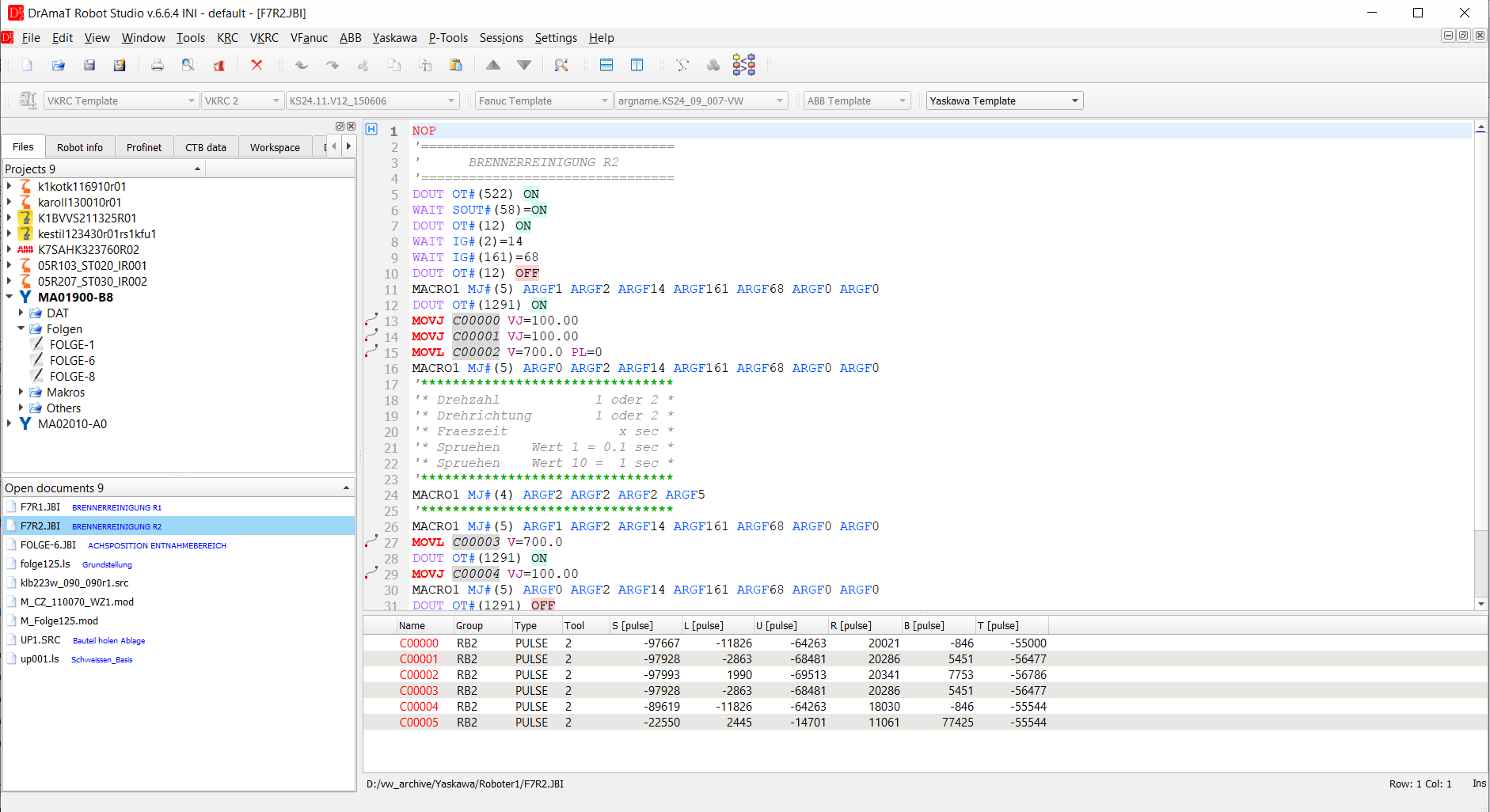
Job F7R2.JBI with the CTB data of the controller (left) and the point table (bottom).
Video
Short videos on YouTube, in English and in German, show the most interesting features of the Yaskawa editor: robot info from the backup, names of I/Os and variables, Ctrl+click to called jobs and labels, blocks and syntax check, points and soft limits, the program path in 3D, parameter files and the comparison of two backups.
 DReS - Yaskawa editor (YouTube, English)
Basics
- Overview
- What is read from the controller backup
- Project tree
- Robot info
- CTB data: tools, frames, soft limits, interference areas
- Parameter files (*.PRM) - highlighting, address and meaning of a value in the tooltip
- Long texts - edit, translate and save I/O and variable names (IONAME.DAT, VARNAME.DAT)
Viewer (JBI editor)
- Yaskawa viewer - job header, tooltips of variables, I/O and macros, labels (go to, references), blocks IFTHEN / ENDIF ..., context menu, Yaskawa menu
- Point table
- Motion instruction editor
- Point tools
 - reverse order, mirror (left / right robot), export / import CSV, renumber & clear points
- Comment / uncomment - Ctrl + /, also in the context menu of the editor
- Saving a job
Point editor and kinematics
- Point editor - joint and Cartesian tab, configuration (RCONF), what Apply writes, 3D preview
- Kinematics - YaskawaGenericKinematics.xml, pulses per degree
Settings and limitations
Export to Yaskawa archive
- Export to Yaskawa archive - ZIP with the jobs open in the editor, loading with EX. MEMORY » LOAD » JOB
Syntax
Plugins
- Yaskawa OLP - Robot 3D View - path of the job in 3D, touch up, add point
- Diff - compare Yaskawa job programs
- Archive Diff - compare Yaskawa backup files
- ANTLR Validator - check syntax for multiple files