
Select a ZIP backup or SYSTEM.SYS of an unzipped backup for both robots and press Compare.
A ZIP backup is unzipped to a temporary directory which is deleted automatically. When the robot names of both backups differ, the plugin asks before comparing.
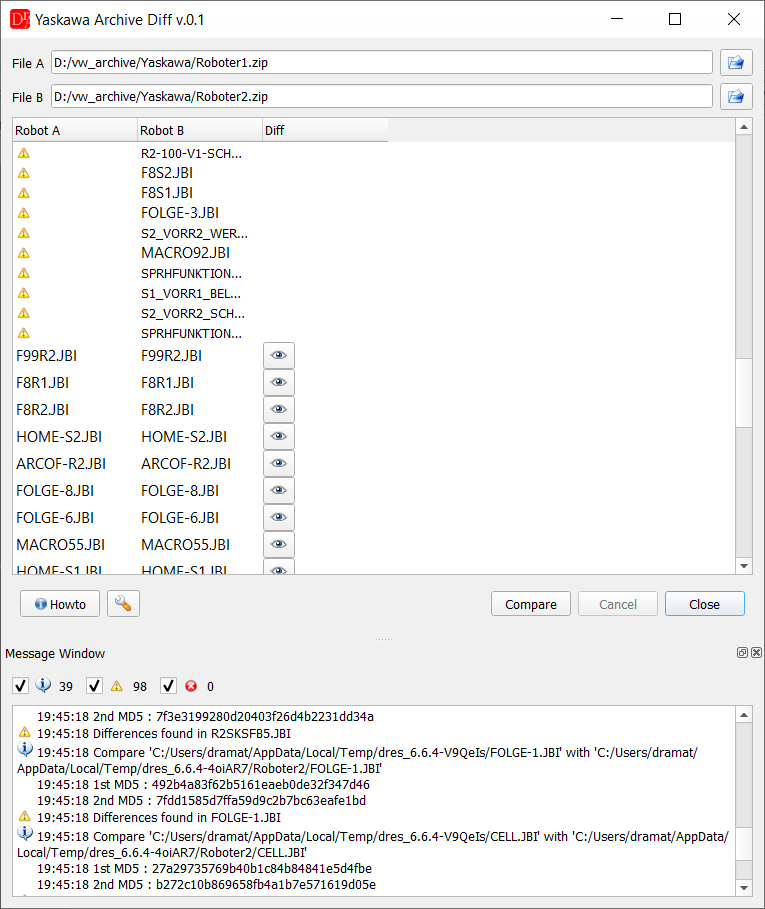
Jobs found only in one backup are marked with a warning, jobs with differences have the Show diffs button
Job (*.jbi) files are searched for recursively in both backups and matched automatically, regardless of the folder they are located in.
Files present in only one of the backups are listed and reported as missing on the other side; the message window lists every compared file with its checksum.
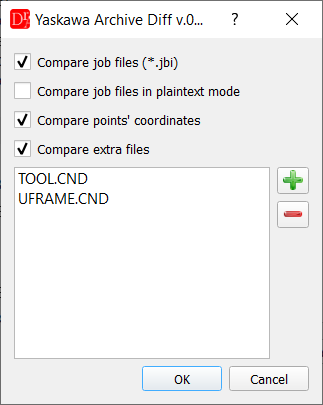
The Show diffs button opens the Yaskawa Diff window for the job (or a plaintext comparison, depending on the settings):
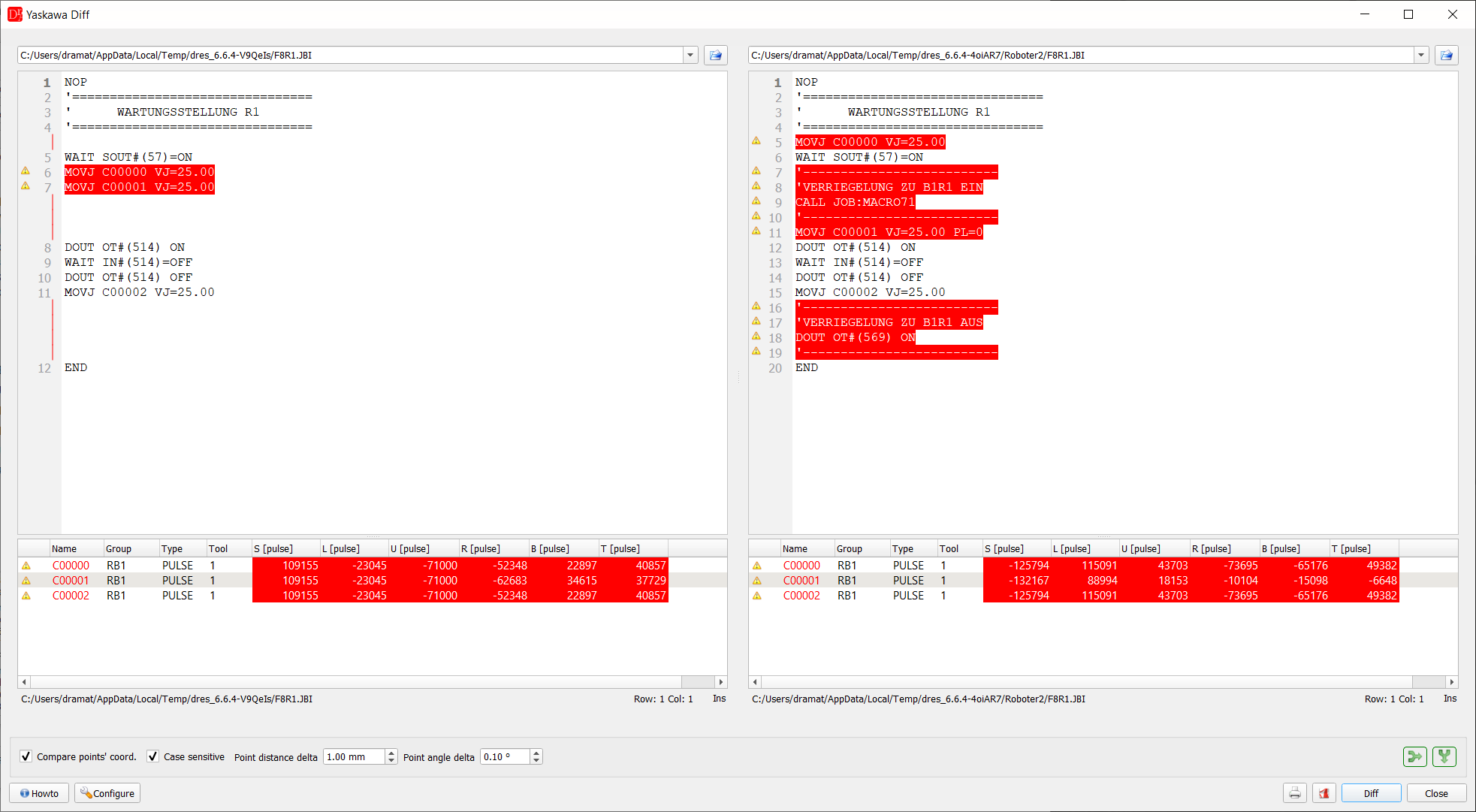
In the plugin's settings the user can choose whether to compare job files, whether to compare them in plaintext mode instead of using the Yaskawa job editor, whether to compare points' coordinates, whether to compare parameter and condition files by value and which additional files (by default TOOL.CND and UFRAME.CND) should also be compared.
The extra files can also be parameter files, e.g. SC.PRM (soft limits) or ALL.PRM. With the setting Compare parameter files (*.PRM) by address (default on) a parameter file is compared value by value:
- the message window lists the parameters with different values, e.g. S1C1G32: 3 -> 1000, with their meaning when it is known,
- the button of the file opens a table Address / A / B / Meaning with a filter; a changed file header (//SC DX → //SC DN) and values missing in one file are listed too,
- Text diff in the table opens the line by line comparison.
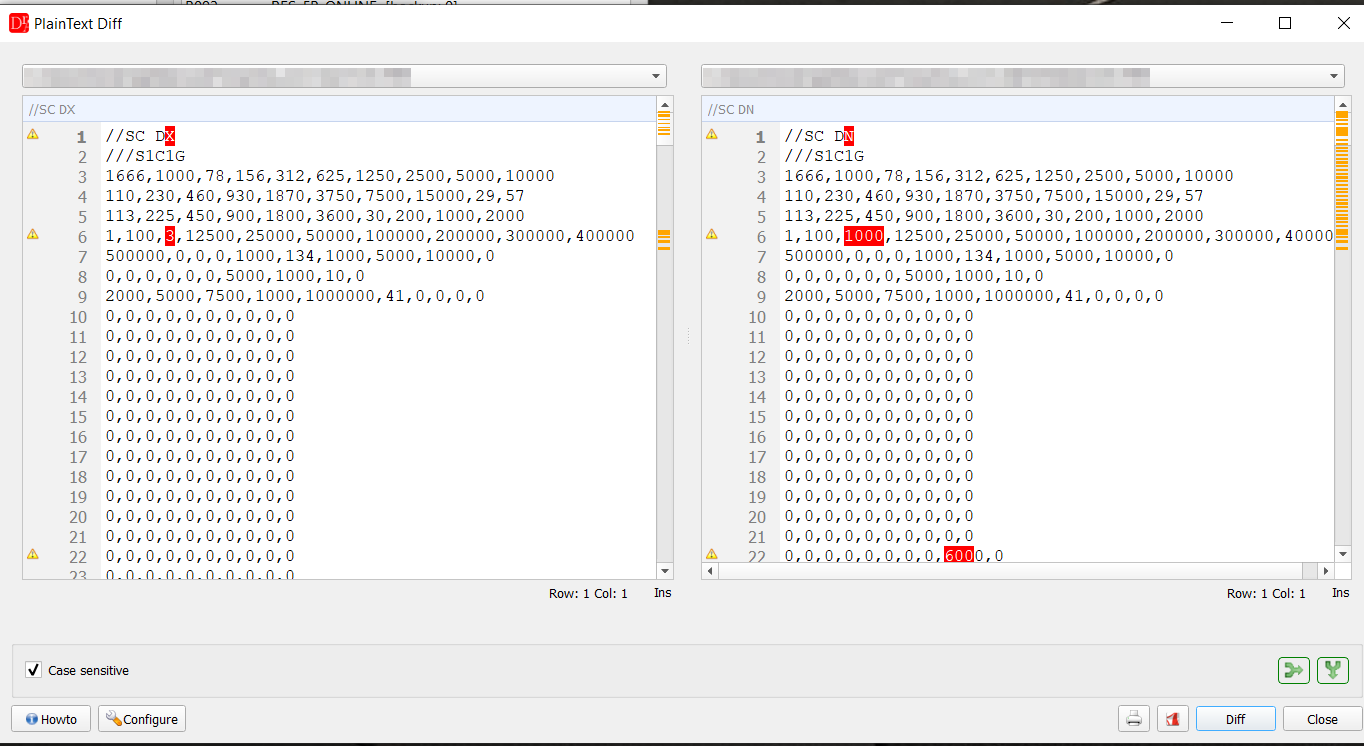
SC.PRM of a DX100 (left) and a DX200 (right): header //SC DX / //SC DN and two changed values.
The condition files TOOL.CND, UFRAME.CND and other *.CND files with entries (//TOOL 1, //UFRAME 2) are compared by entry with the setting Compare condition files (*.CND) by entry (default on). Every value has a name made of the entry and the field:
| Value | Meaning |
| TOOL n X, Y, Z, Rx, Ry, Rz | tool centre point and orientation [mm, deg] |
| TOOL n Xg, Yg, Zg | centre of gravity of the load [mm] |
| TOOL n W | load weight [kg] |
| TOOL n Ix, Iy, Iz | moment of inertia [kg m2] |
| TOOL n NAME, UFRAME n NAME | name |
| UFRAME n BUSER X .. Rz | user frame [mm, deg] |
| UFRAME n RORG, RXX, RXY | taught points ORG / XX / XY of the user frame [pulse] |
| UFRAME n TOOL, GROUP | tool and control groups used for teaching |
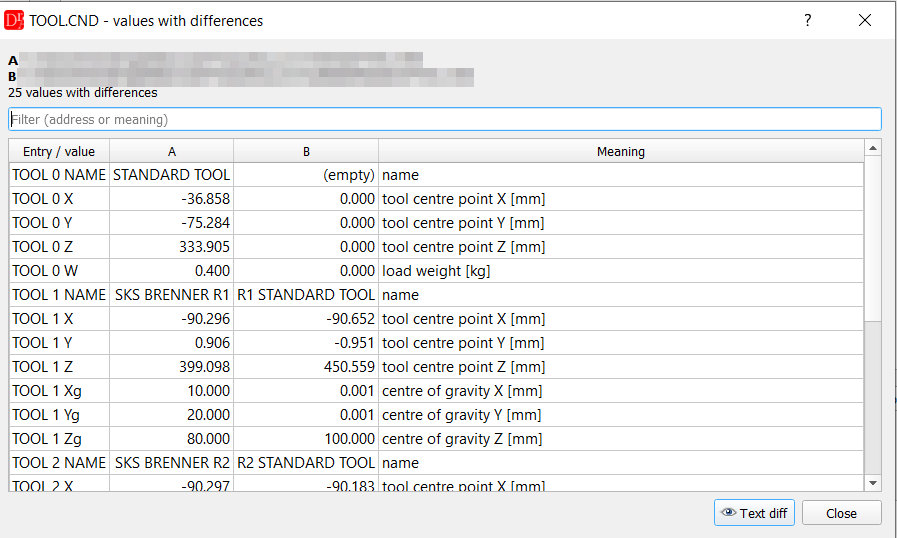
TOOL.CND of two backups: names, TCP and load weight of tool 0 and tool 1 differ. An empty name is shown as (empty), not as missing.
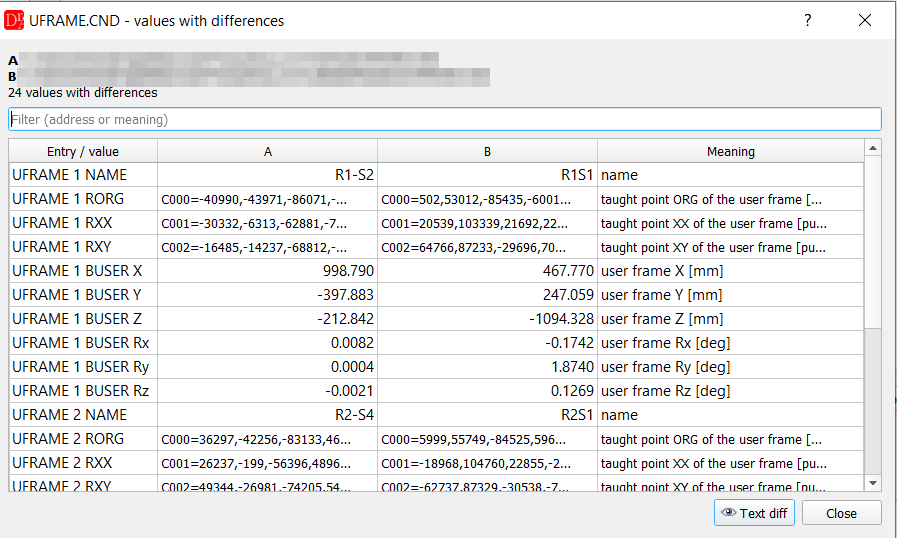
UFRAME.CND: names, taught points and the user frame values (BUSER) of two backups. Long values are shortened in the table - the tooltip of a cell shows the whole value.
Interlocks & technology points
The check of the interlocks and technology points known from VKRC / Fanuc Archive Diff is being worked on for Yaskawa (as for ABB) and will be adapted to the requirements of the customer. At present Yaskawa Archive Diff compares the files, the points and the settings of the two backups.