The check reads only the program text of both archives - no 3D cell, no simulation - and takes typically 0.1 - 0.7 s per robot, so it can be used on a laptop at the line before and after a program change.
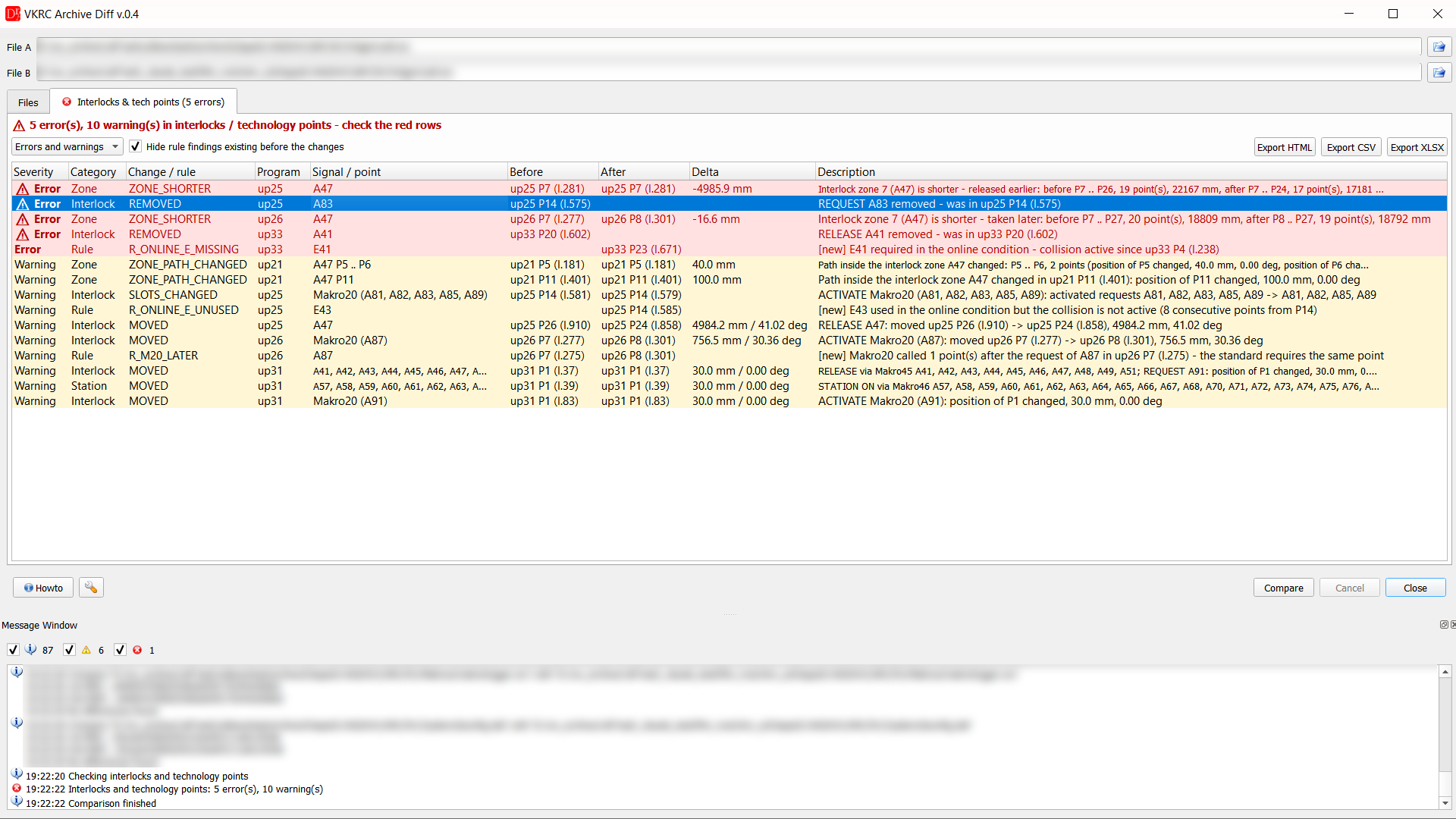
It is enabled with the option Check interlocks (requests, Makro20, releases, station interlocks) and technology points in the settings of the plugin (on by default). The results are shown in the tab Interlocks & tech points.
Video
A short video on YouTube (English and German) shows the check step by step: removed requests and releases, shortened interlock zones, moved points inside a zone, weld and glue points and the Fanuc programs.
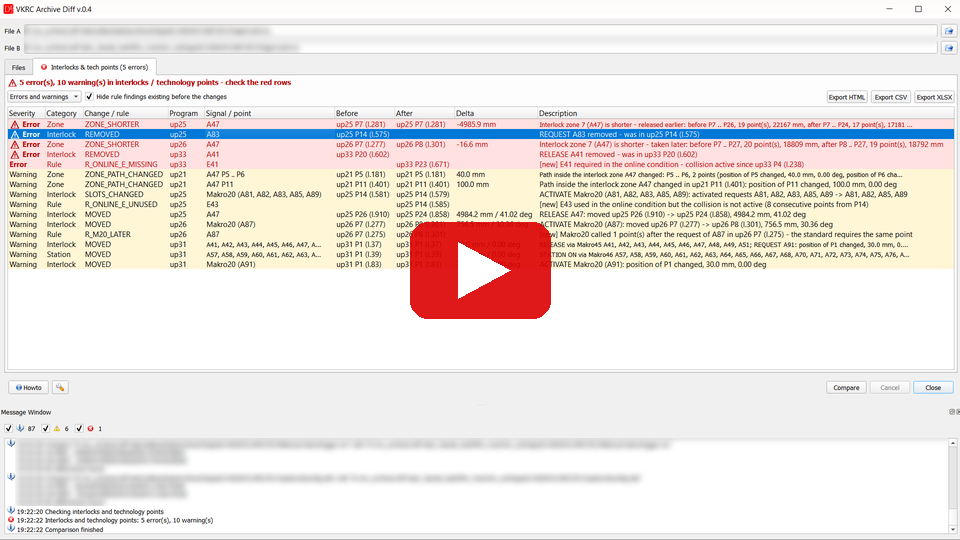
 DReS - Archive Diff: interlocks & technology points (YouTube, English)
 DReS - Archive Diff: Verriegelungen & Technologiepunkte (YouTube, Deutsch)
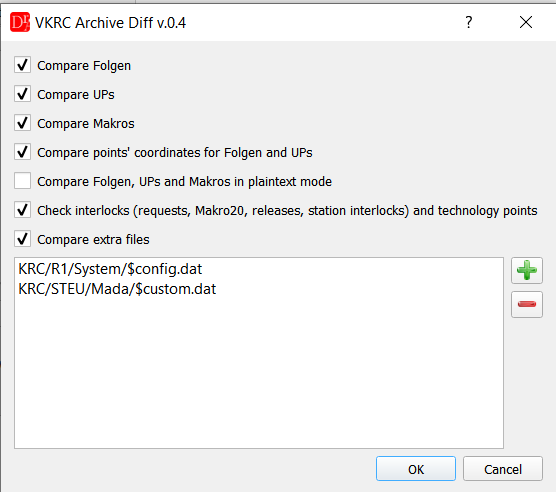
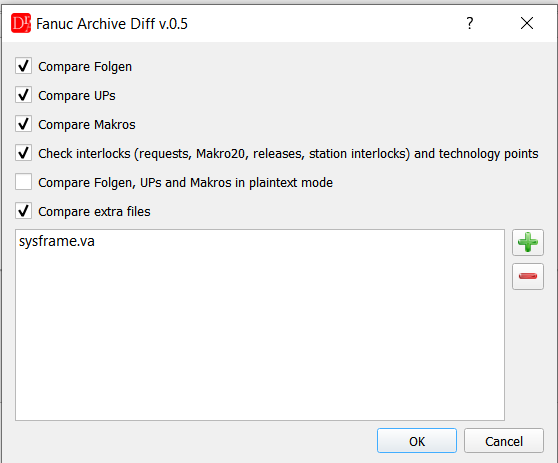
The option in the settings of VKRC Archive Diff and Fanuc Archive Diff (wrench button)
What is compared
| Category | Content | Error (red) | Warning (yellow) |
|---|---|---|---|
| Interlock | collision requests A81..A96, activation with Makro20, releases / locks A41..A56 - also inside makros (e.g. Makro45, Makro46, Makro50, Makro57, Makro71); Fanuc A[..] / DO[..] | request, activation or release removed | moved to another point (distance in mm / deg), Fanuc XYZWPR ↔ JOINT, other UF / UT or tool / base, other activated requests, conditional call changed |
| Zone | path between request (lock) and release of each collision | zone shorter - taken later or released earlier (path length before / after) | points inside the zone moved over the tolerance, inserted, JOINT / frame changed |
| Station | station interlocks A57..A80 (old standard A49..A64) | removed | moved |
| Tech | process points (EZSP, KL, BZ, MS ... identified by the spot number or the comment above the point), glue paths KLIN / KCIR / KPTP, process makros 80-89, 180-187, 210-214; information commands (SafeRobot, Koll_Ueb ...) only as information | process point removed, process makro no longer called in the point | moved, added, spot number or parameters changed |
| Rule | check of the new archive: Makro20 later than the request or missing, request without Makro20, E41..E56 missing or unused in the online condition (FB PSPS / TC_ONLINE), manual A4x=AUS, not released at the end of the Folge, lock without waiting for the release input | marked [new] (introduced by the change), [existing] (already in the old archive) or [resolved] | |
The point tolerances are the ones set for the robot type (VKRC / Fanuc settings - distance and angle delta).
Consecutive findings of the same kind are merged (e.g. KLIN P12 .. P18, 7 points removed).
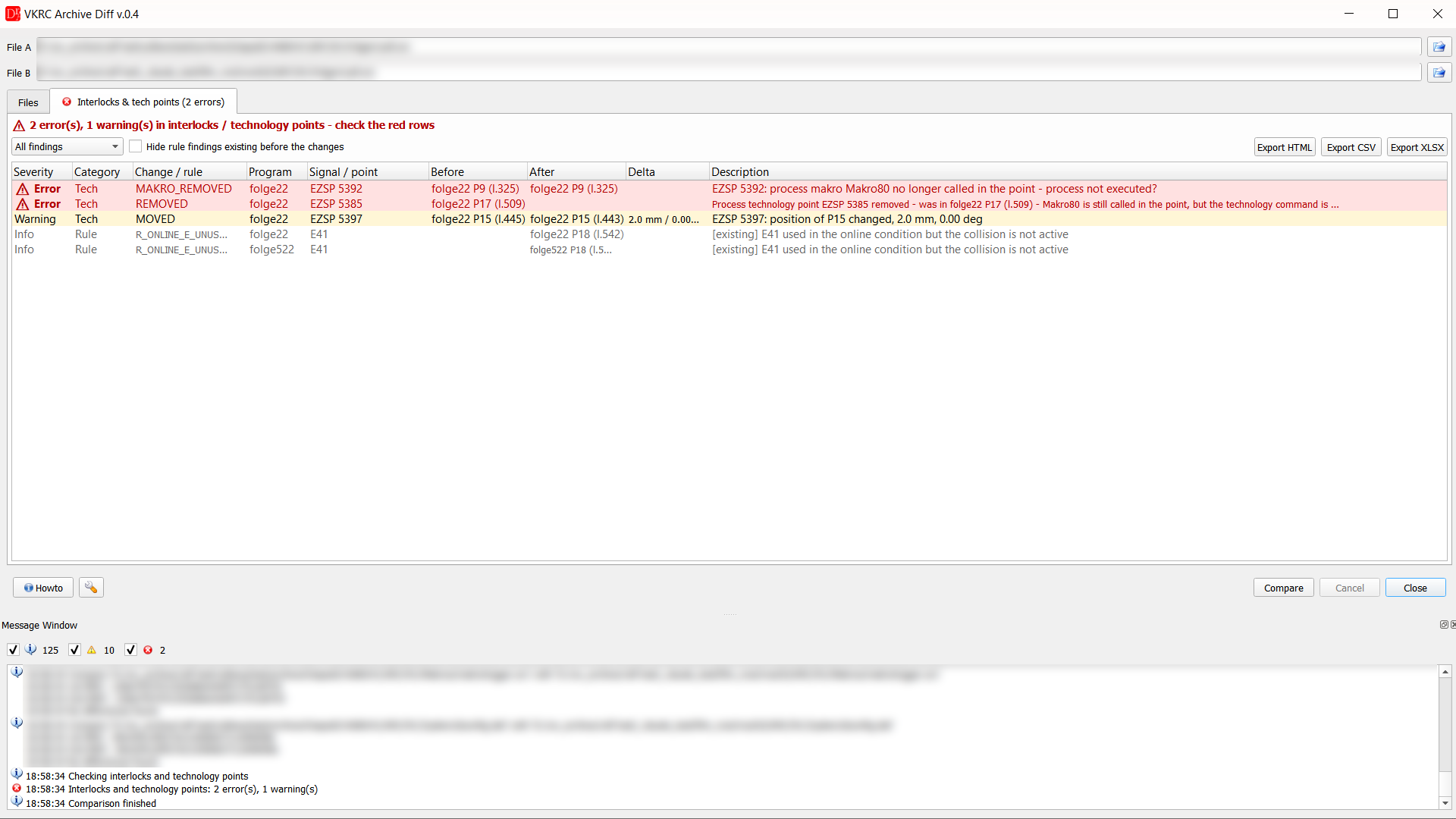
Spot welding: a weld point without Makro80, a removed spot and a point moved by 2 mm
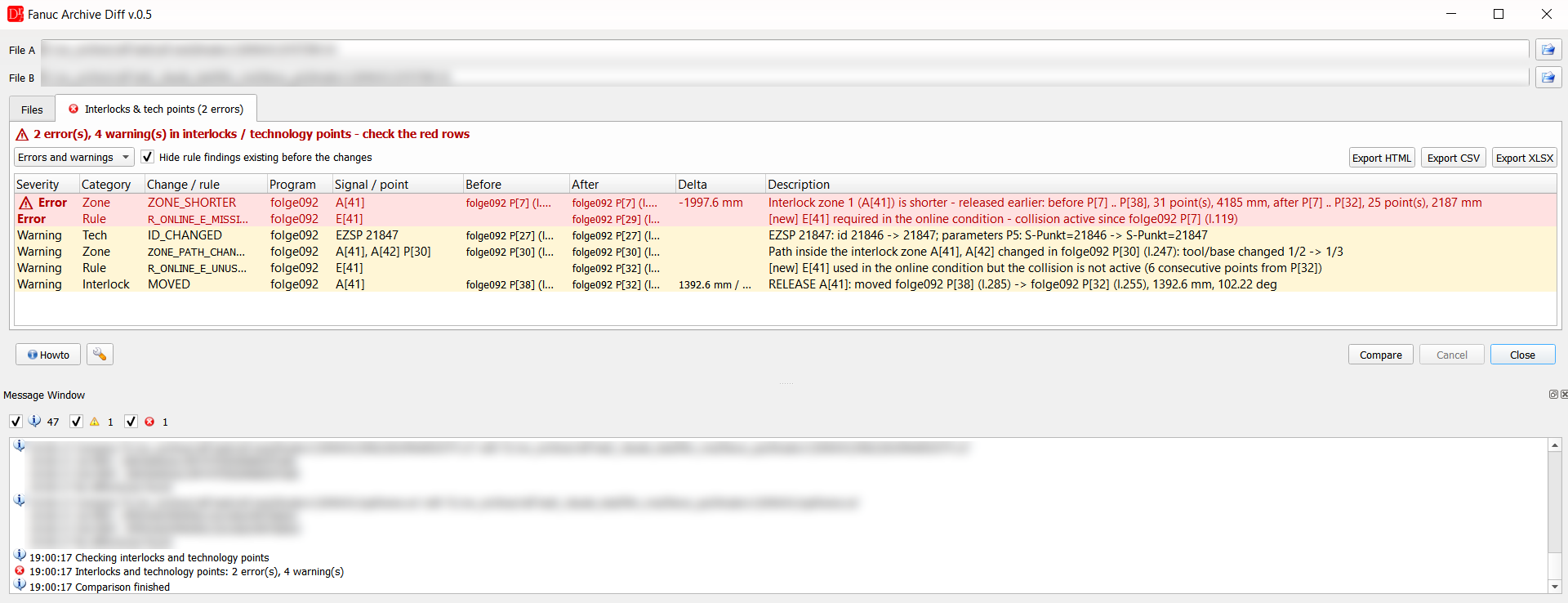
Fanuc: release moved to an earlier point (zone shorter), input missing in the online condition, spot number and user frame changed
Working with the results
The filter shows all findings, errors and warnings or errors only. Hide rule findings existing before the changes hides the problems which were already in the old archive.
Double click on a row opens the program in the editor at the point / command of the finding.
The report can be exported to HTML, CSV (UTF-8, ';' separated) and XLSX (summary sheet and one sheet per robot).
Example of an exported HTML report (open in a new window):
ABB (VWKS Basis RAPID)
ABB Archive Diff checks the interlocks of the VW standard for ABB controllers (option Check interlocks (AnfVerriegelung / FrgVerriegelung) in the settings of the plugin, on by default, tab Interlocks & tech points). The programs are read from RAPID/TASK1/PROGMOD/*.mod of both backups: every PROC is a program (Folge12 = Folge, other procedures = subprograms), every motion instruction (MoveL, MoveJ, MoveC, MoveAbsJ, MovePTP, MoveLIN, MoveABS ...) is a point, the robtargets of the module give the positions (quaternion converted to A, B, C).
| Program | Meaning | Shown as |
|---|---|---|
| AnfVerriegelung ROB01, AnfVerriegelung ROB01\V2:=ROB02 | request of the interlock(s); the instruction waits for the release and sets the drive condition itself (no separate activation like Makro20, no online condition in the program) | AnfVerriegelung ROB01 |
| FrgVerriegelung ROB01 | release of the interlock | FrgVerriegelung ROB01 |
| IF ... AnfVerriegelung ROB01; | conditional request | conditional |
| FrgVerriegelung FrgInit, RobInit | initialisation – not compared | – |
Own system modules of a project with other names (e.g. VerrAnf Frg01 / VerrFrg Frg01) are read in the same way.
Compared: requests and releases removed / moved / added, zones shorter (released earlier, requested later), positions of the points inside a zone; rule: interlocks not released at the end of the Folge. Partner robots are taken from the text of the instruction (\Info:="Warte auf Verriegelung 1 - 110015R01 < 110025R01") and from the comments (!Verriegelung mit 75R1 ... Anfang).
In the VW standard (VWKS Basis, VWKS_BASE.SYS) AnfVerriegelung sets the request output (A81..A96), waits for the acknowledgement and the release (E81..E96 / diSPS_FrgRob01..16) and adds the release input to the drive condition (FB_Monitor \Add); FrgVerriegelung releases the interlock and removes the input from the drive condition (FB_Monitor \Del). Several interlocks can be requested at once (\V2 ... \V5).
Technology points (ABB): ABB programs have no typical technology points - the process is done by calls of procedures. The check of the technology points for ABB is being worked on and will be adapted to the requirements of the customer later; at present only the interlocks are checked.
ABB: check of the system modules
In ABB controllers the interlock instructions are procedures of a system module (standard VWKS_BASE.SYS, in some projects an own module in SYSMOD), not commands of the controller. Whether the robot really stops when the release of the partner is lost depends on this module: for every interlock the request has to wait for the release input (WaitDI diSPS_FrgRob01, high / WaitUntil) and add it to the drive condition (standard: FB_Monitor idROB\Add,fbROB, project modules: APPL_FB_PSPS idVWKS\Add,[["diSPS_FrgRob01",1]]). Without the drive condition the robot waits for the release only once, before the motion – if the PLC takes the release back during the motion (the partner robot enters the zone), the robot does not stop. The programs look correct, the error is invisible in the module comparison.
Therefore the check reads all system modules of the backup and reports for every interlock procedure:
- does not add the release input to the drive condition – APPL_FB_PSPS ... \Add / FB_Monitor ... \Add missing (older version of the module) or commented out,
- APPL_FB_PSPS commented out – the line exists but is switched off (e.g. during commissioning),
- does not wait for the release input – WaitDI diSPS_FrgRob.. missing.
B: VWKS_BASE.SYS (l.1179): AnfVerriegelung does not add the release inputs to the drive condition (FB_Monitor / APPL_FB_PSPS \Add commented out) - the robot does not stop when the release is lost during the motion
A, B: VERRIEGEL.sys (l.8): VerrAnf - APPL_FB_PSPS commented out for ROB05 (no drive condition)
The prefix names the backup: A: the first (before), B: the second (after), A, B: the same
finding in both backups – a problem that existed before the change. The same prefixes are used by VKRC and
Fanuc Archive Diff for the messages of the check.A, B: VERRIEGEL.sys (l.8): VerrAnf - APPL_FB_PSPS commented out for ROB05 (no drive condition)
Example: in 13 backups of one line (2016) one robot had the drive condition of interlock 5 commented out, three robots used a module without drive condition for all 16 interlocks and one robot a service module that neither waits for the release nor sets the drive condition.
Limits
The check has no information about the position of the robots in the cell - it cannot say whether a changed path really collides. It shows where the interlock logic or the path inside an interlock zone was changed, so these places can be checked in the cell. The signal ranges follow the VW standard; other numbering is not recognised.