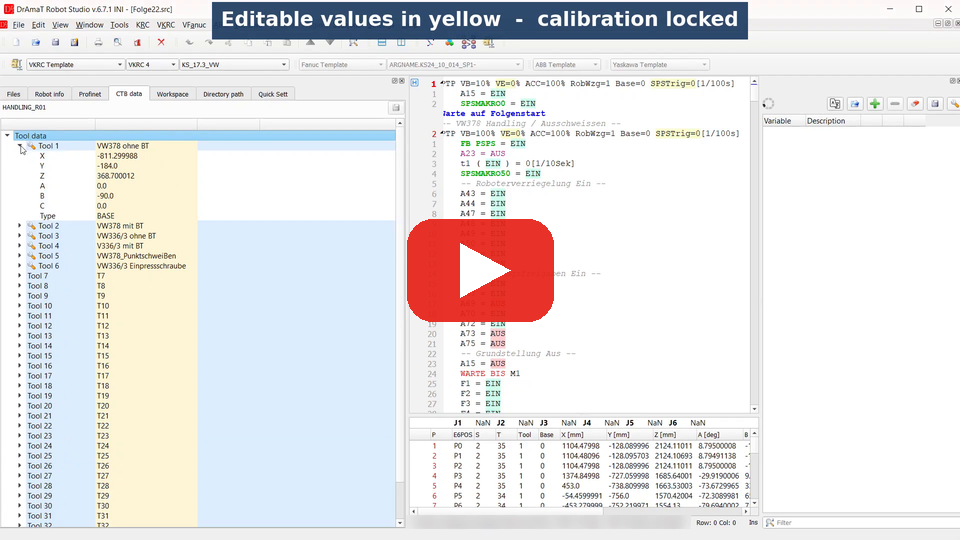
 DReS - CTB Data - Edit Tool, Base and Load Data Safely (KUKA, ABB) (YouTube, English)
 DReS - CTB-Daten - Werkzeug-, Basis- und Lastdaten sicher bearbeiten (KUKA, ABB) (YouTube, Deutsch)
- What can be changed
- Changing a value
- After a change: save button and info
- Saving - VKRC / KRC, ABB
- Changes not saved
- Loading the changed file into the robot
- Licence
- VKRC / KRC: load data measured on the robot and the load report - Kuka Load project
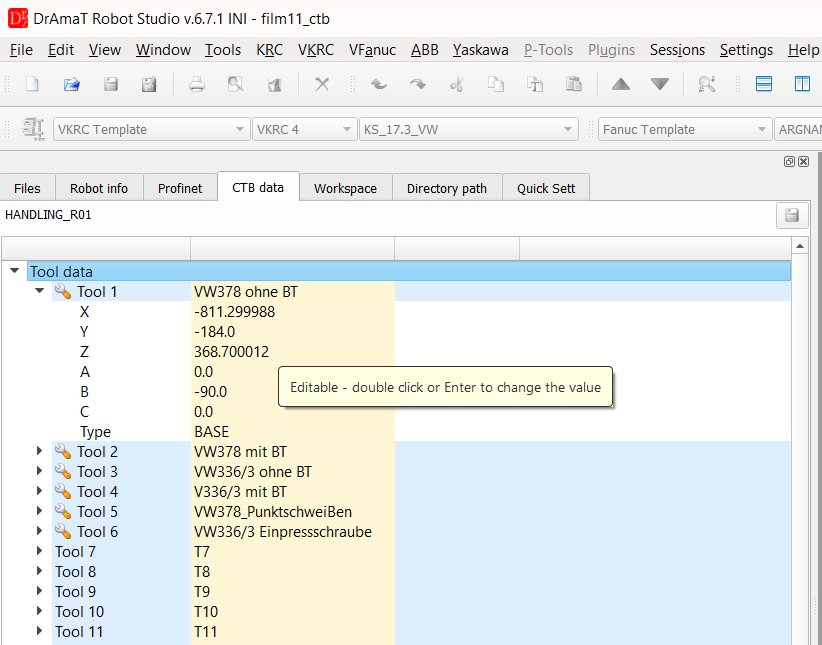
CTB data of a VKRC robot - the editable values of Tool 1 are highlighted.
▲ What can be changed
| Robot | Editable | Saved to | Locked |
| VKRC, KRC | Tool 1..n: name, X, Y, Z, A, B, C, type (NONE / TCP / BASE) Base 1..n: name, X, Y, Z, A, B, C, type Load data: weight, centre of mass X, Y, Z, A, B, C, inertia Jx, Jy, Jz |
KRC/R1/System/$config.dat (TOOL_DATA, TOOL_NAME, TOOL_TYPE, BASE_DATA, BASE_NAME, BASE_TYPE, LOAD_DATA) |
calibration data measured load data of the tools: Kuka Load project |
| ABB | tooldata: X, Y, Z [mm], weight [kg] wobjdata: X, Y, Z of uframe and of oframe [mm] |
the declaration of the tooldata / wobjdata in its RAPID module (*.mod, *.sys) | orientation (Q1..Q4), names, robhold, ufprog, ufmec, calibration data |
| Fanuc | - | - | all data (read only) |
| Yaskawa | - | - | all data (read only) |
The orientation of an ABB tool or work object is stored as a quaternion. Its four values must always fit together, therefore they are locked - change the orientation on the robot.
▲ Changing a value
- Double click a highlighted value or select it and press Enter.
- Numbers are entered with the precision of the current value (at least 3 decimal places). Enter accepts the value, Esc cancels it. If the value is not changed, nothing is marked as changed.
- The tool / base type is selected from a list (NONE, TCP, BASE).
- Names must not contain a quotation mark.
- VKRC, KRC: tool, base and load data can also be copied from one entry and assigned to another one with the context menu (right mouse button on Tool n / Base n): Copy Tool n data, then on the target Assign Tool n data.
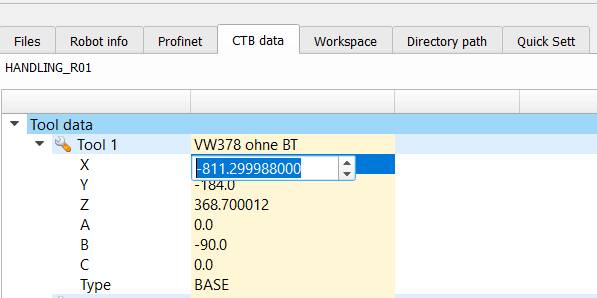
Changing the X value of Tool 1.
▲ After a change: save button and info
After the first change
- the save button above the tree (right side) becomes active,
- on the left side under the robot name an info is shown: the CTB data were changed and are not saved yet, use the save button to write them to the file, and after loading the changed file into the robot run all programs slowly and check every path.
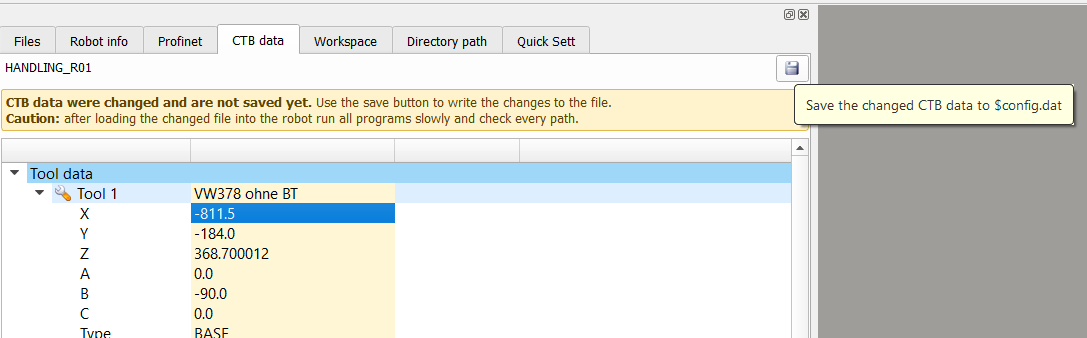
CTB data changed - info on the left side, the save button is active.
▲ Saving
Click the save button. A warning reminds you that changed tool, base or load data change the path of the robot, the speed of the tool and the load monitoring. Choose Save to continue.
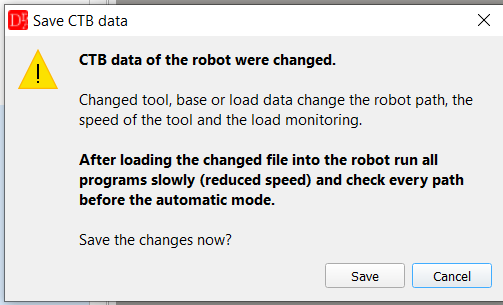
Warning before saving the CTB data.
VKRC / KRC - $config.dat
- A file dialog opens with the $config.dat of the robot. Save it there or under another name (e.g. to keep the original file).
- Only the lines of the tool, base and load data are replaced (TOOL_DATA[1]={X ...}, TOOL_NAME[1,]="...", TOOL_TYPE[1]=#TCP ...). All other lines, comments at the end of these lines and the line endings of the file stay unchanged. Commented out lines are not changed.
- Before saving the names are checked: no quotation mark, not longer than declared in the file (e.g. DECL CHAR TOOL_NAME[16,24] - max. 24 characters). If a name is wrong, nothing is saved.
- DReS shows the list of the RAPID modules which will be overwritten (the modules where the changed tooldata / wobjdata are declared). Choose Yes to save.
- In the declaration (e.g. PERS tooldata tGripper:=[TRUE,[[10,20,30],[1,0,0,0]],[2.5, ...]];) only the changed numbers are replaced. The rest of the module stays unchanged, declarations in comments are not changed.
- If a declaration can not be found or appears more than once in the module, this module is not saved and a message lists the problem.
▲ Changes not saved
- When the configuration of the robot is loaded again (another robot of the project tree is activated, the archive is opened again), changes not saved are discarded. DReS shows a message with the name of the file.
- When DReS is closed with changes not saved, it asks whether the changes should be discarded.
▲ Loading the changed file into the robot
Caution! Changed tool, base or load data move the paths of all programs which use them.
- Keep a copy of the original file (backup of the robot).
- After loading the changed file into the robot run all programs slowly (manual mode, reduced speed) and check every path, the approach to the fixtures and the interference zones, before the automatic mode is used.
- Check the load data on the robot - wrong load data affect the load monitoring and the collision detection.
▲ Licence
Saving needs the licence of the robot type: VKRC licence for VKRC, KRC licence for KRC, ABB licence for ABB. Without a licence the values can be changed in the tree, but not saved.