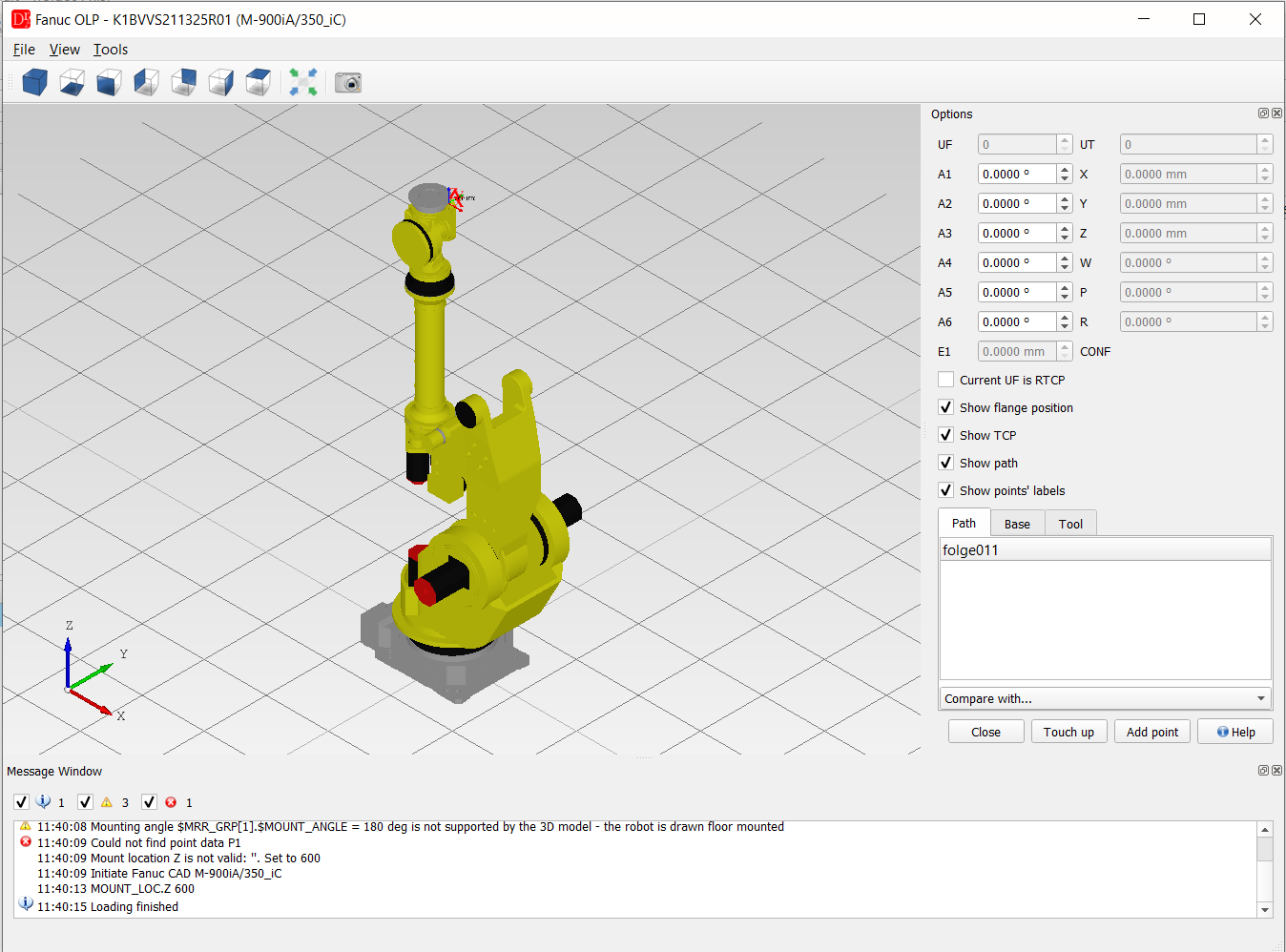
The Fanuc OLP plugin (menu VFanuc » Plugins » Fanuc OLP) shows the UP / Folge opened in the Fanuc viewer in a 3D environment: the robot (CAD model from the CAD repository or a dummy model built from the DH parameters of the controller), all points of the program as a path, the user frames, the TCP (UTOOL) and the linear unit E1.
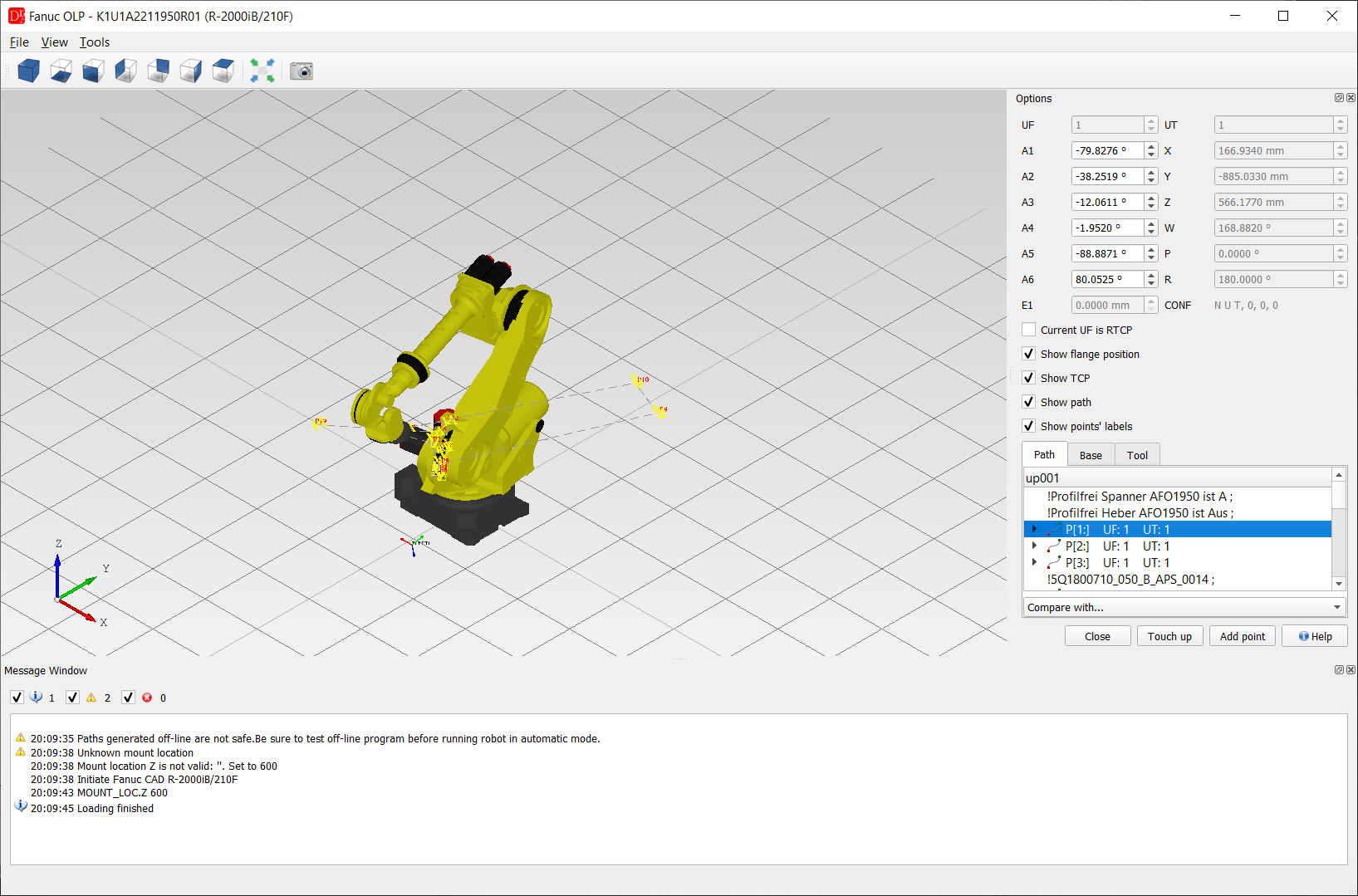
Window
- 3D view - robot model, path of the program, frames and TCP; views (axonometric, front, top ...), Fit in view and Grab the preview (export of the view to an image) in the toolbar,
- View menu - display mode (shaded / wire frame), grid on / off,
- Tools menu - add a cube or a sphere to the scene (e.g. to check a fence or an obstacle), grab the preview, Options (grid and colour settings),
- Message Window - information about the model, the kinematics and the points (errors, axis limits, unreachable positions).
- UF / UT - user frame and user tool of the selected point,
- A1 .. A6, E1 - axis values; changing them moves the robot, X, Y, Z, W, P, R and the configuration CONF are calculated,
- Current UF is RTCP - the user frame is a remote TCP,
- Show flange position, Show TCP, Show path, Show points' labels, Show range,
- Path - all motions of the program with UF / UT; comments and instructions between the motions are shown in the tree; selecting a point moves the robot to it,
- Base - user frames, each can be shown or hidden,
- Tool - CAD models of tools (STEP) which can be mounted on the flange,
- Compare with... - draws the path of another UP / Folge of the same robot.
- Touch up - writes the current position of the robot to the selected point,
- Add point - adds a new motion with the current position after the selected point.
Touch up and Add point change the program in the editor (the file is saved as usual) and require the
VFanuc OLP license. Paths generated off-line are not safe - test an off-line program before running the robot in
automatic mode.
Robot mounting: the positions of a Fanuc robot are in its own world frame, so they are
always calculated. A robot with $MRR_GRP[1].$MOUNT_ANGLE other than 0 (wall, ceiling) is still drawn floor
mounted - a warning in the message window says it.
Fanuc M-900 with a parallel link: for M-900iA/260L, M-900iB/280L and
M-900iB/400L the offset of the forearm is confirmed, so the 3D view and the point conversions of the editor
(axes ↔ X Y Z W P R) calculate these robots correctly. For other robot types with a parallel link the kinematics
is not confirmed yet: the editor does not calculate their positions and shows the message The kinematics of ...
(parallel link) is not yet confirmed in DReS - positions cannot be calculated.