
Graphics card
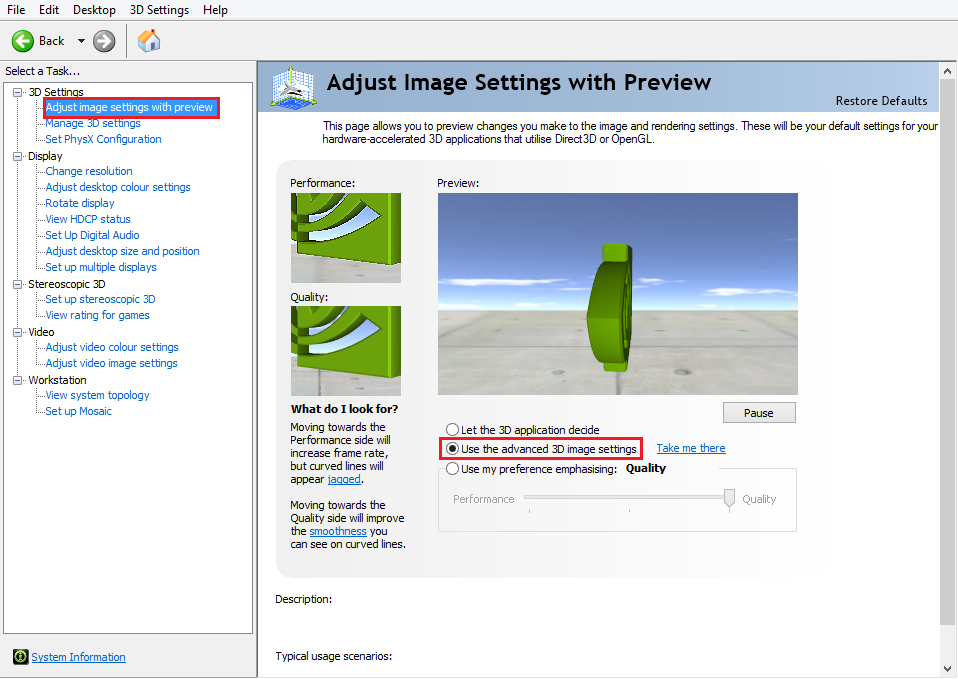
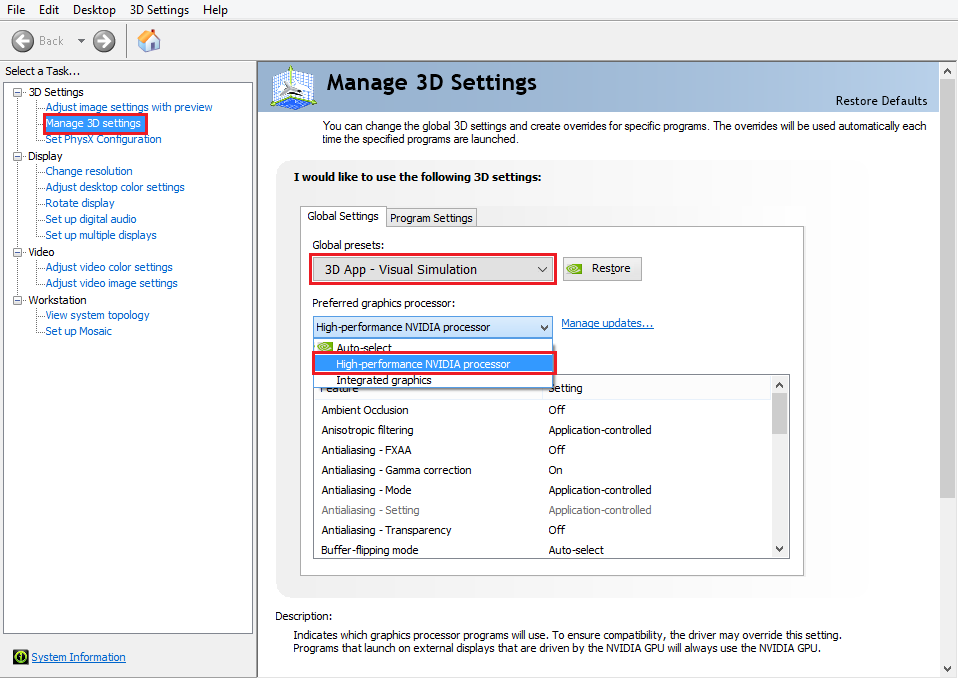
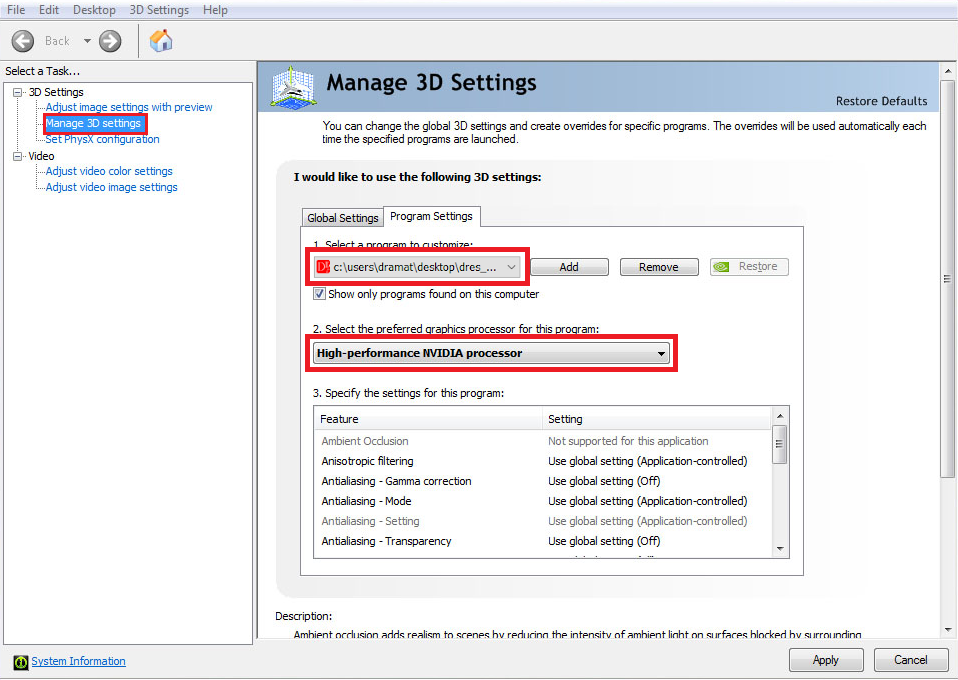
Large cells need a dedicated graphics card and its driver set for 3D applications. Example settings for an Nvidia Quadro P600 with 4 GB (tested on a notebook with i7 2.2 GHz, 16 GB RAM): select Use the advanced 3D image settings, set the Global Settings and add custom Program Settings for DReS.
Limitations
- Large 3D data can overload the CPU or the memory. If the application becomes unstable, adjust the GPU settings or enlarge the buffer in Tools → Set Part Aggregator Size.
- Tested with about 1 GB of components (65 000 parts); up to 100 000 parts can be displayed. The counters are in the statistics in the corner of the view.
- Supported JT version: 9.5.
- Inputs, outputs and the PLC are not simulated; conditions are handled by the Program flow options and the motion times are estimates.
- Robot programs: KUKA VKRC / KRC in the VW standard.
Typical messages
| Message | Cause / solution |
| Robot archive '...' not found | the archive folder named by the ExternalId of the robot is missing in Set Robots Archive Files – check the path or the folder name |
| Robot axis not found | no machine data for the robot model – set Set Robots Machine Data Files |
| geometry of n tool part(s) not loaded after 7.5 s | the tool model is still loading or missing; the work zone uses the parts that are available |
| no free tool within 1000 mm of the flange | the tool expected by the tool change is not at the docking position – attach it by hand or increase Max. distance |
| Path of folge12 not shown for: ... (no configuration) | the robot has no archive (e.g. a robot without programs) |