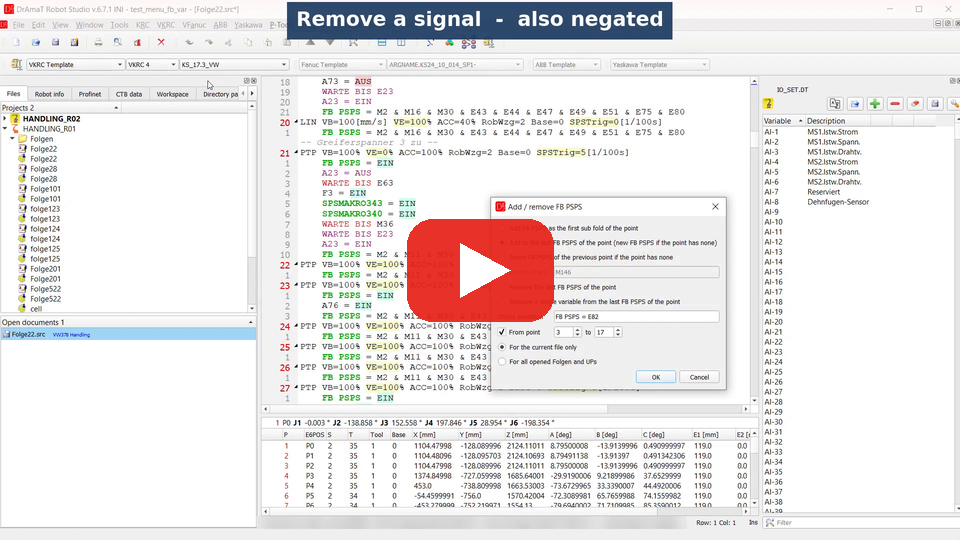
 DReS - Online Conditions for KUKA and Fanuc - Add or Remove FB PSPS and Define Sammelmerker (YouTube, English)
 DReS - Fahrbedingungen für KUKA und Fanuc - FB PSPS ergänzen oder entfernen, Sammelmerker anlegen (YouTube, Deutsch)
- Add / remove FB PSPS (VKRC) and Add / remove TC_ONLINE (Fanuc) - the online travel condition of the motion points,
- Comment / uncomment selected text - Ctrl + /,
- Change variable - replace an input, output, merker, flag or timer in the current file, in all opened files or in all programs of the robot.
Undo: the points of Folgen and UPs (Fanuc: Folge, UP, MOTN, Suchlauf) carry data which is not a part of the text (point index, technology parameters). After a change of such a program the undo / redo history is cleared - the status bar shows the message Undo/redo history has been cleared to avoid losing complex block data. Programs without points (Makros) keep one undo step for the whole change.
▲ Add / remove FB PSPS / TC_ONLINE
VKRC » Add / remove FB PSPS and VFanuc » Add / remove TC_ONLINE change the online condition in all points of the current program (or of all opened Folgen and UPs). One of five operations is selected:
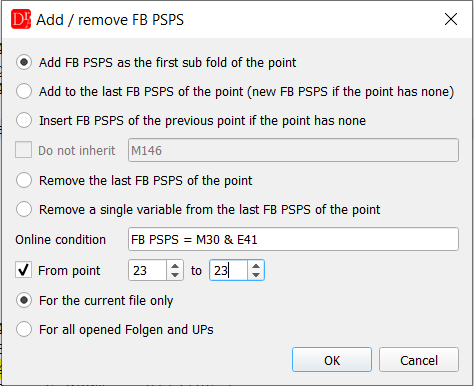
Add / remove FB PSPS - a new FB PSPS as the first sub fold of point 23
| Operation | Result |
|---|---|
| Add FB PSPS as the first sub fold of the point | A new line FB PSPS = ... / TC_ONLINE (...) ; directly after the motion line. Fanuc: a motion written in two lines stays together. |
| Add to the last FB PSPS of the point | The typed condition is combined with & / AND with the last online condition of the point. Operands which are already there are not added twice; a condition with OR on the top level is put into brackets. A point without online condition gets a new one. |
| Insert FB PSPS of the previous point if the point has none | The last online condition of the previous point is copied. Operands in Do not inherit (e.g. M146) are left out. |
| Remove the last FB PSPS of the point | The line is removed without leaving an empty line. |
| Remove a single variable from the last FB PSPS of the point | The variable is removed from the top level & / AND operands. E41 removes E41 and !E41, !E41 removes only the negated one. If it was the only operand, EIN / ON stays. A variable inside brackets or in an OR condition is not changed and listed at the end. |
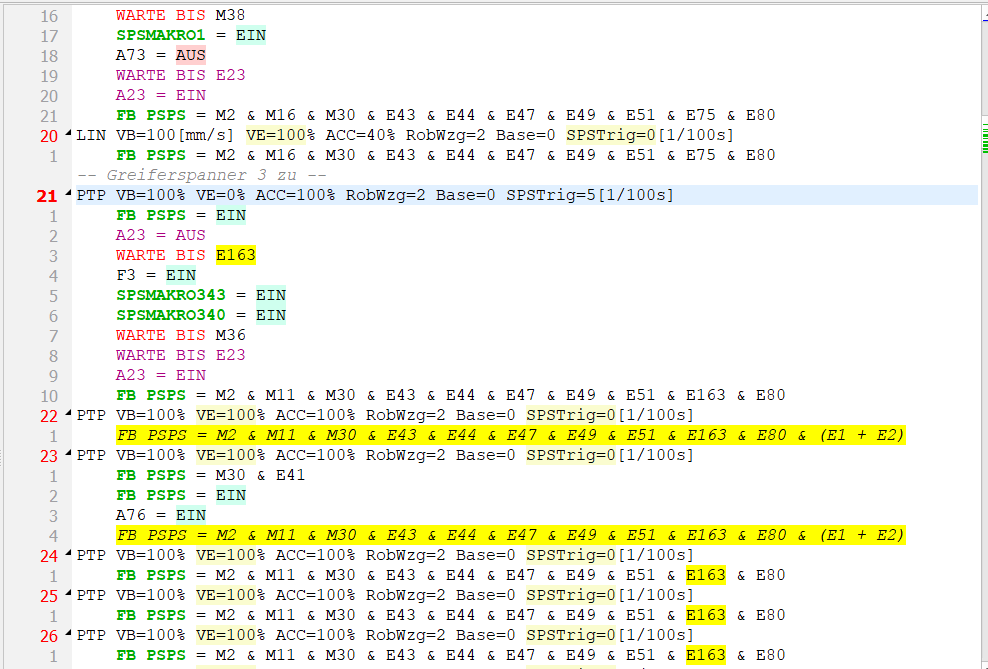
The new FB PSPS is the first sub fold of point 23; the point was collapsed before and is collapsed again after the change
Example - remove a variable. E75 is removed from the last FB PSPS of the points 21 and 22:
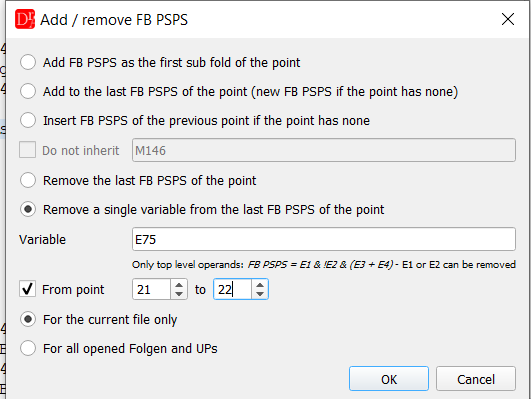
Remove a single variable from the last FB PSPS, points 21 - 22
FB PSPS = M2 & M11 & M30 & E43 & E44 & E47 & E49 & E51 & E163 & E75 & E80
FB PSPS = M2 & M11 & M30 & E43 & E44 & E47 & E49 & E51 & E163 & E80
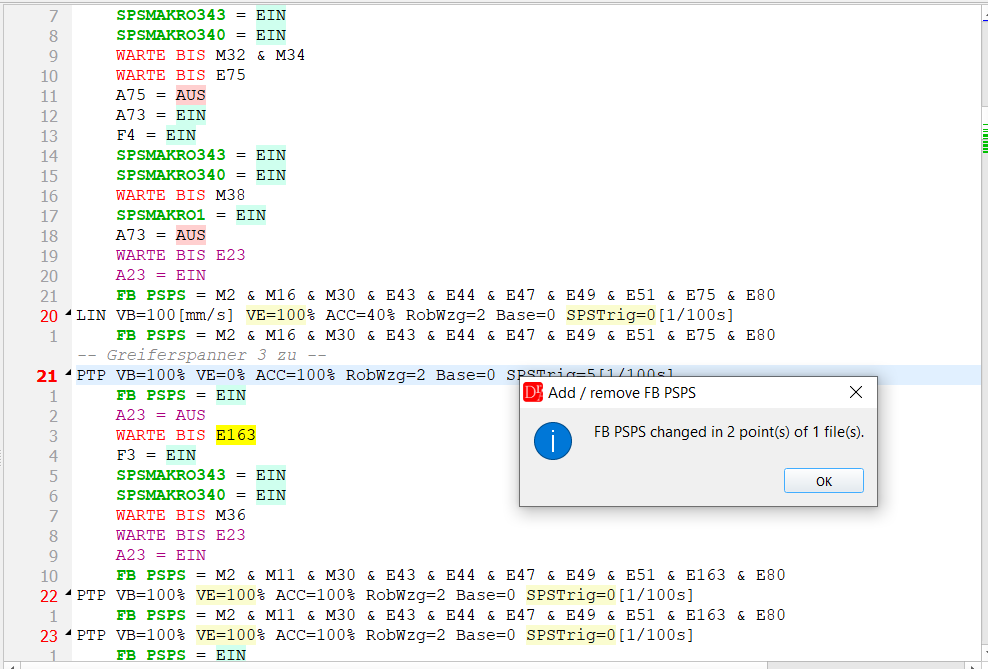
Summary: FB PSPS changed in 2 points; point 20 (outside of the range) still contains E75
Example - add a condition with OR. FB PSPS = E1 + E2 is added to the last FB PSPS of the
point. The OR condition is put into brackets, so that it does not change the meaning of the other operands:
FB PSPS = M2 & M11 & ... & E80 & (E1 + E2)
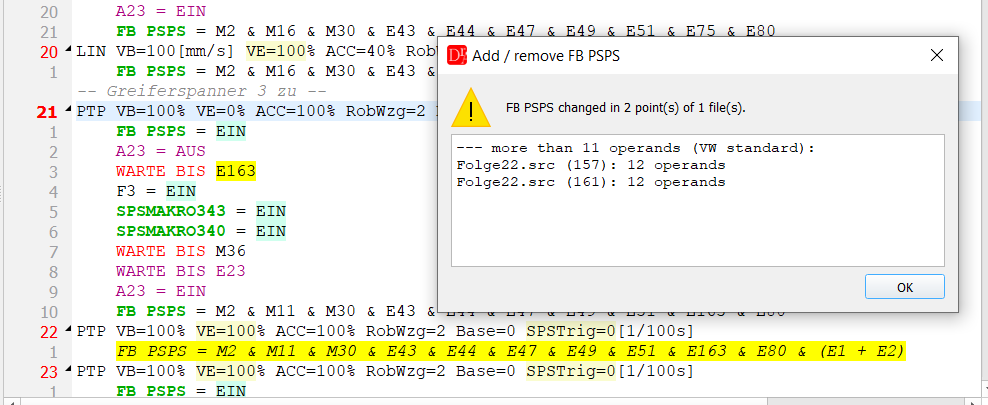
After the change DReS lists the online conditions with more than 11 operands (VW standard)
The same functions in Fanuc work with TC_ONLINE, AND, OR and !. Inner brackets
stay, the comment of a signal (DI[5:Part present]) is kept:
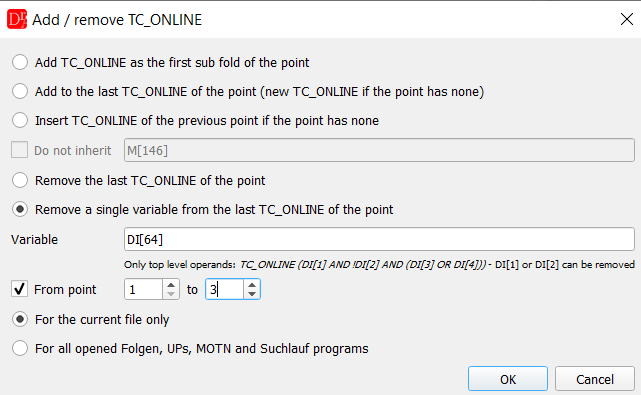
VFanuc » Add / remove TC_ONLINE - remove DI[64] (also !DI[64]) from the points 1 - 3
▲ Comment / uncomment selected text
Ctrl + / or Comment / uncomment selected text in the context menu of the editor comments or uncomments the current line or all lines of the selection.
- All selected lines get the same state: if at least one line is not commented, all lines are commented; if all lines are commented, they are uncommented. Lines which are already commented are not commented twice. Empty lines are skipped.
- A selection which ends at the beginning of a line does not include this line.
- VKRC: simple lines get -- ... --. A motion point is commented together with all its sub folds, technology and servo gun commands keep their data (both are saved as ;; in the program). A sub fold of a commented point can not be uncommented alone - uncomment the point.
- Fanuc: the comment character from the settings is used (// or !). The motion line and the end of the point (------ ;) can not be commented.
- The selection stays, so the same lines can be uncommented with the next Ctrl + /.
- KRC, ABB and Yaskawa: see KRC comments and folds and Comment / uncomment (ABB and Yaskawa).
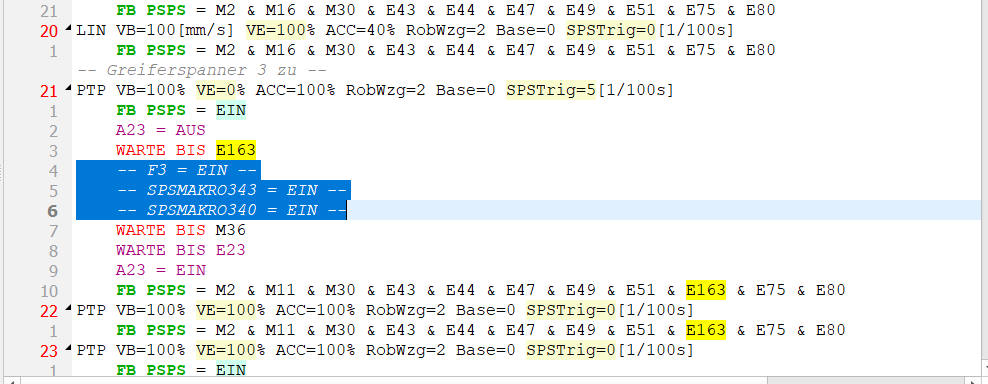
Three selected lines commented; the line WARTE BIS M36 (selection ends at its beginning) is not changed
▲ Change variable
VKRC » Change variable, VFanuc » Change variable or Change variable ... in the context menu of a variable replaces a variable with another one. The variable under the cursor is taken over; the field can also be filled by hand.
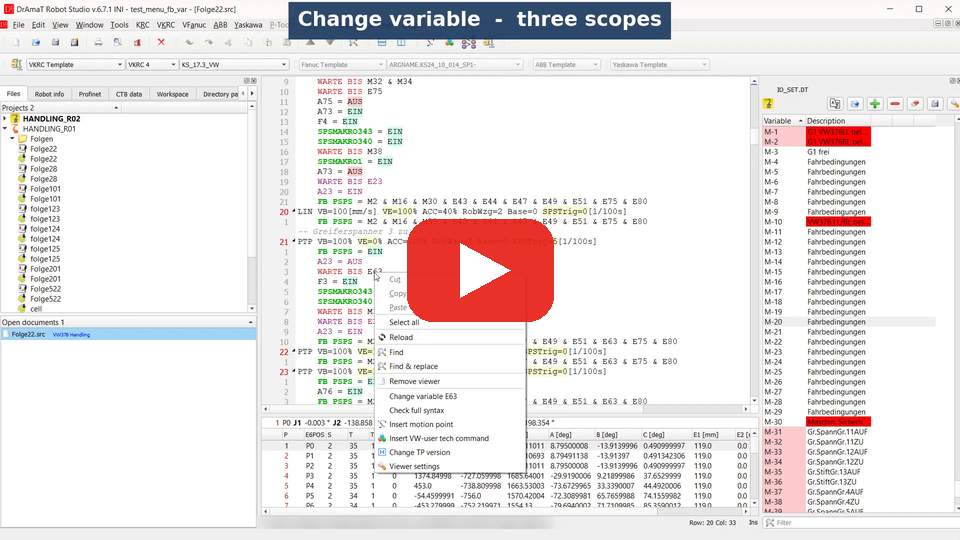 DReS - Change a Variable in All Robot Programs for KUKA and Fanuc (YouTube, English) DReS - Variable in allen Roboterprogrammen ändern für KUKA und Fanuc (YouTube, Deutsch)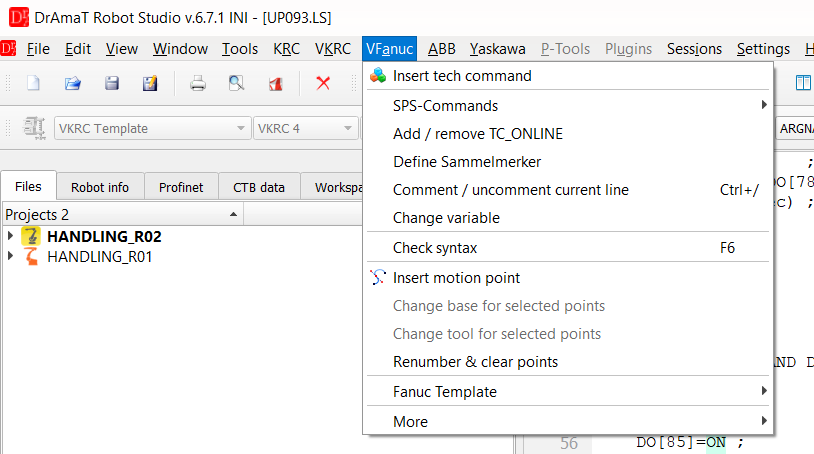
VFanuc » Change variable
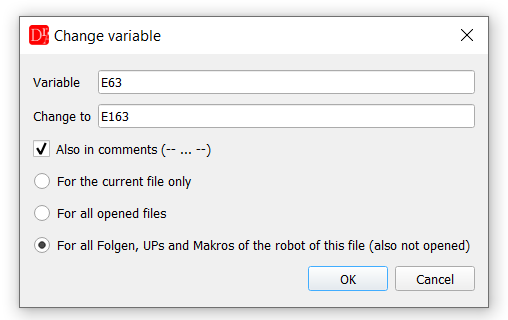
Change E63 to E163 in all Folgen, UPs and Makros of the robot
| Option | Description |
|---|---|
| Variable / Change to | VKRC: E, A, M, F, T, S, I, BIN, BININ, ANA, ANAIN with a number (E41, t1, bin12). Fanuc: DI, DO, RI, RO, GI, GO, AI, AO, UI, UO, SI, SO, WI, WO, F, M, R, TIMER (DI[41]). The input is checked; VKRC numbers outside the allowed range are rejected, a change of the type (e.g. input to merker) is shown as a warning. |
| Also in comments | Changes the variable also in comment lines (-- E63 part present --, ! DI[63] ... ;). |
| Comment in [ ] (Fanuc) | DI[53:Part present] is found with DI[53]. The comment of the new variable is taken from other lines where it is used; without such a line the old comment is removed. It can also be kept or always removed. |
| For the current file only | Only the active program. |
| For all opened files | All opened programs of the same controller type. Programs of other robots are shown with the full path in the list. |
| For all Folgen, UPs and Makros of the robot of this file (also not opened) | VKRC: Folgen\folge*.src, UPs\up*.src, Makros\makro*.src of the robot of the current file; Fanuc: FOLGE*.LS, UP*.LS, MAKRO*.LS, MOTN*.LS in the folder of the current file. The robot is taken from the current file, not from the active project. Programs which are not opened are checked on the disk; the programs with the variable are opened and changed in the editor, but not saved. |
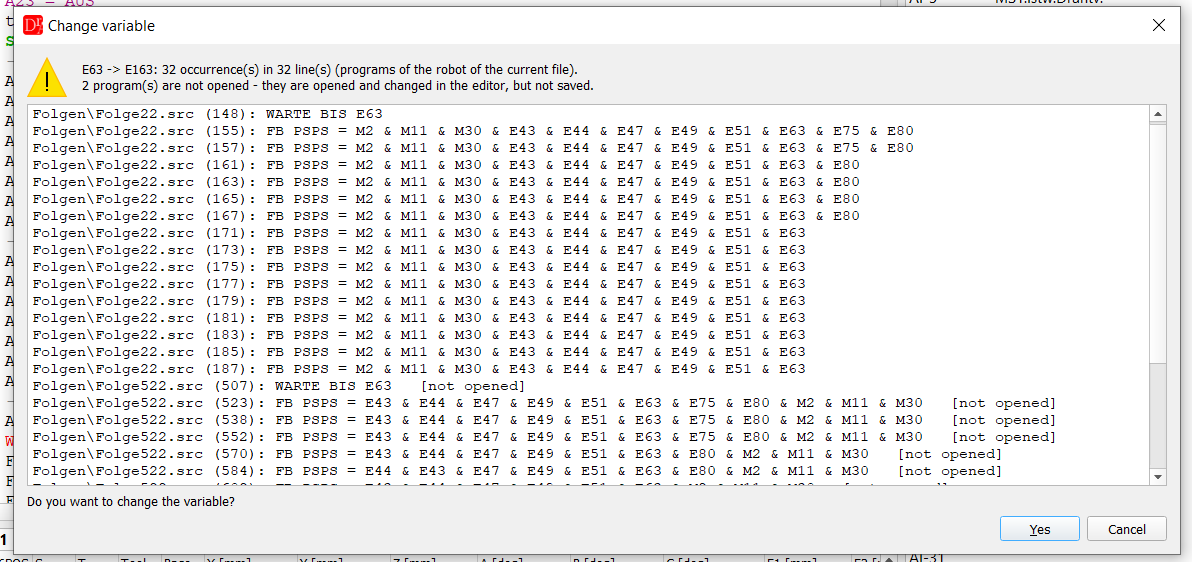
E63 » E163: 32 occurrences, 2 programs are not opened yet
If the new variable is already used, its lines are listed too - after the change both signals would be
the same. In this case Cancel is the default button:
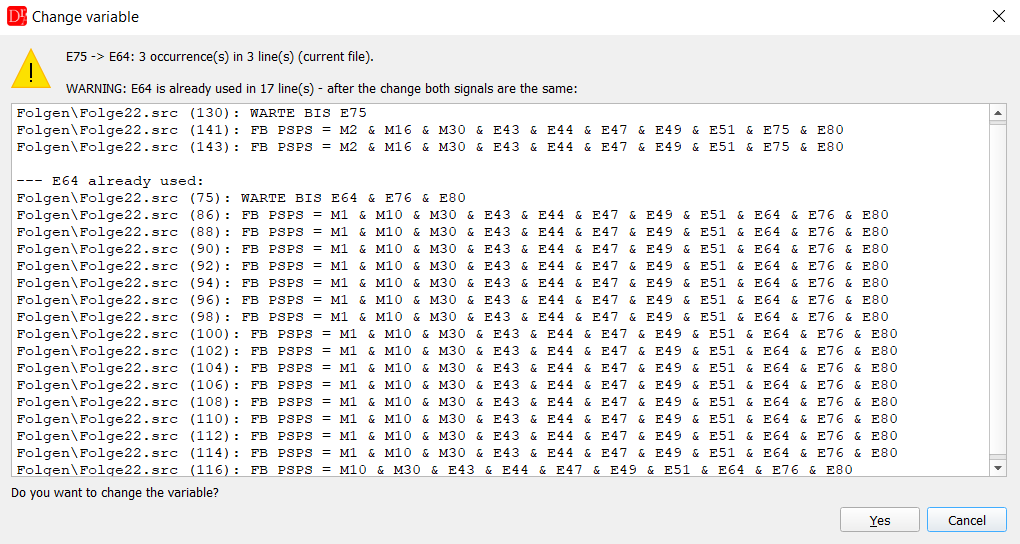
E75 » E64: E64 is already used in 17 lines
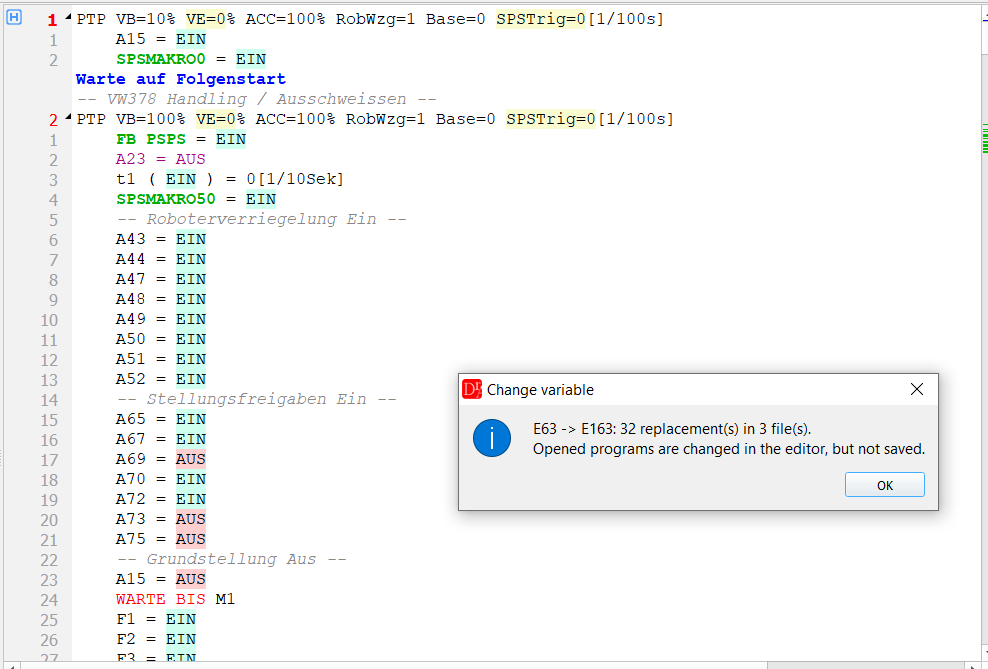
32 replacements in 3 files; the programs which were not opened are now in the list of open documents
The changed variables are highlighted and marked on the scroll bar:
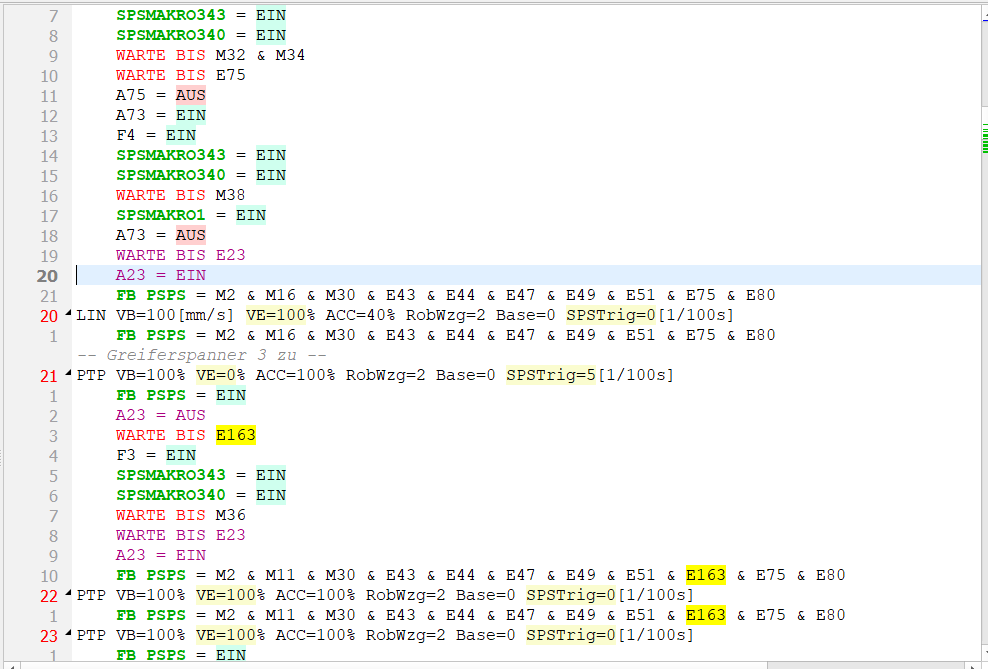
E163 in WARTE BIS and in FB PSPS; negated operands keep the !
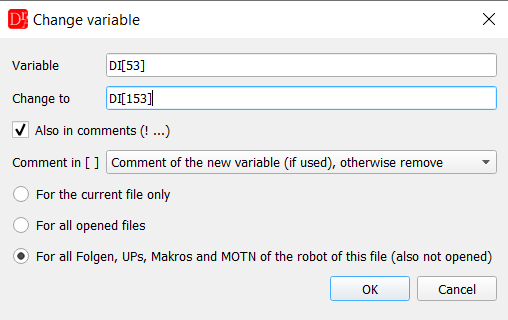
Fanuc: DI[53] » DI[153], the comment in [ ] is taken over from the new variable or removed
Notes
- Only whole variables are changed: E1 does not change E12, A15 does not change ANA15, M3 does not change SPSMAKRO3.
- VKRC: motion lines, technology and servo gun commands are generated from their parameters - lines of this type are not changed but listed at the end; change them in the command dialog.
- Every program is changed in one step. In Folgen and UPs the undo history is cleared (see above), so check the list before you confirm the change.
- To swap two signals (E41 ↔ E42) use an unused variable as an intermediate step: E41 » free, E42 » E41, free » E42.
- Save the changed programs together; programs opened by the robot scope are not saved automatically.